

Hunger relief
Screen time with a purpose
Set a weekly social-media allowance. When you go over, completed extra minutes become a capped donation that supports the charities you choose.
Coming to iPhone · You choose the causes, rate, and weekly cap
Hunger relief. Clean water. Emergency medicine. Wildlife protection. Search for the organizations you believe in, choose your allocation, and make the nonprofit share of your week reflect your values.
Explore the network
Start typing an organization or cause and matching nonprofits will appear instantly.
Results update as you type. Enter at least two characters or choose a cause above.
Nonprofit information is provided by Every.org ↗. Search results do not imply endorsement by Pay Attention.
A few causes people know and love
Hunger relief
Clean water

Emergency medical aid

Wildlife conservation
Examples of nonprofits discoverable through the app’s nonprofit search. Organization names and logos are shown for identification only and do not imply partnership or endorsement. Availability may change.
One week. More than one cause.
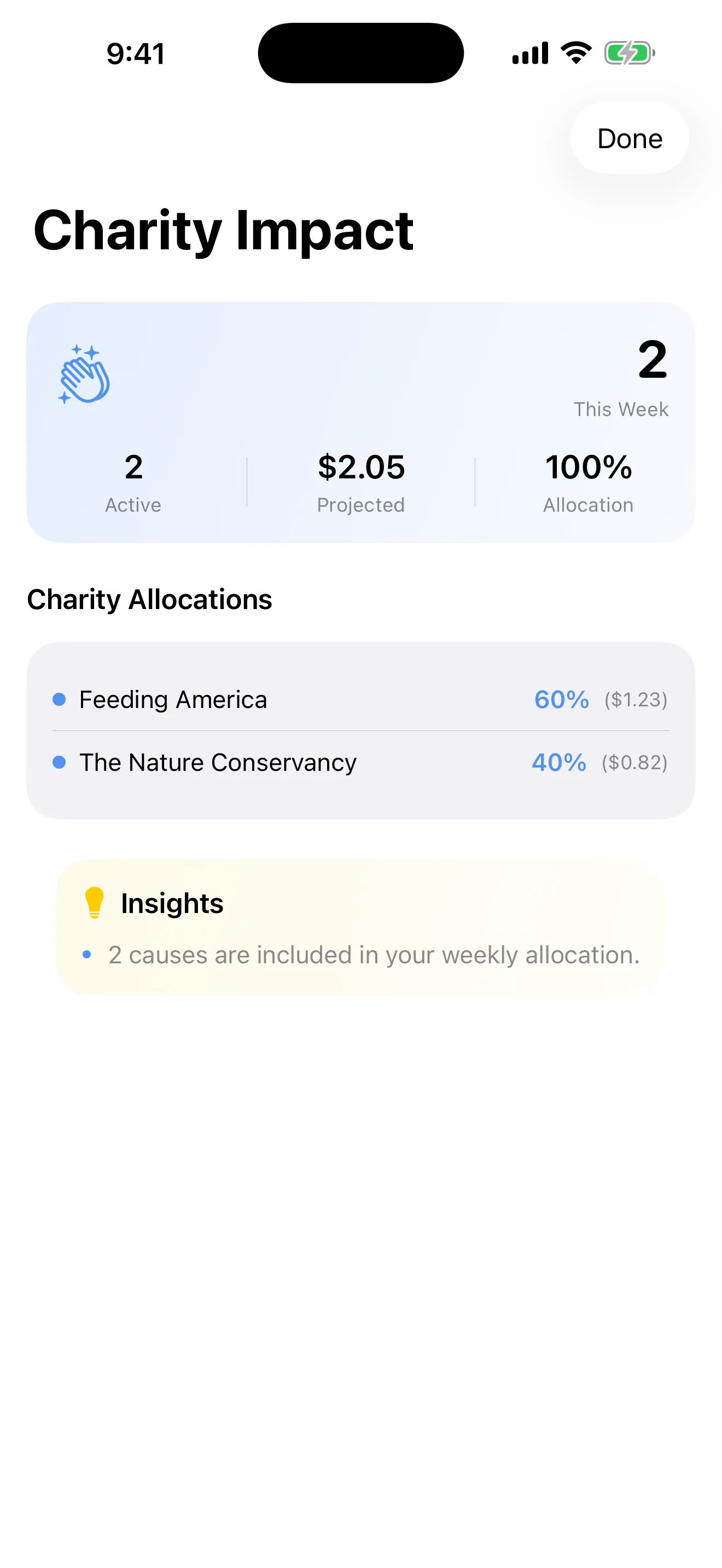
Choose one nonprofit or spread the nonprofit share across several. You set the percentages, see the projected amount before weekly processing, and can change your selections as your priorities change.
Search verified nonprofits
Choose one or several causes
Set the allocation percentages
Track weekly impact history
Most Screen Time tools stop at using less. Pay Attention connects the moments you go over with a capped donation to something you care about.
Your donation rule
Choose the apps that steal your attention, set a weekly allowance, and decide what each completed extra minute should add to your weekly donation—always within the cap you set.
Select the social apps, categories, or websites you want to use more intentionally.
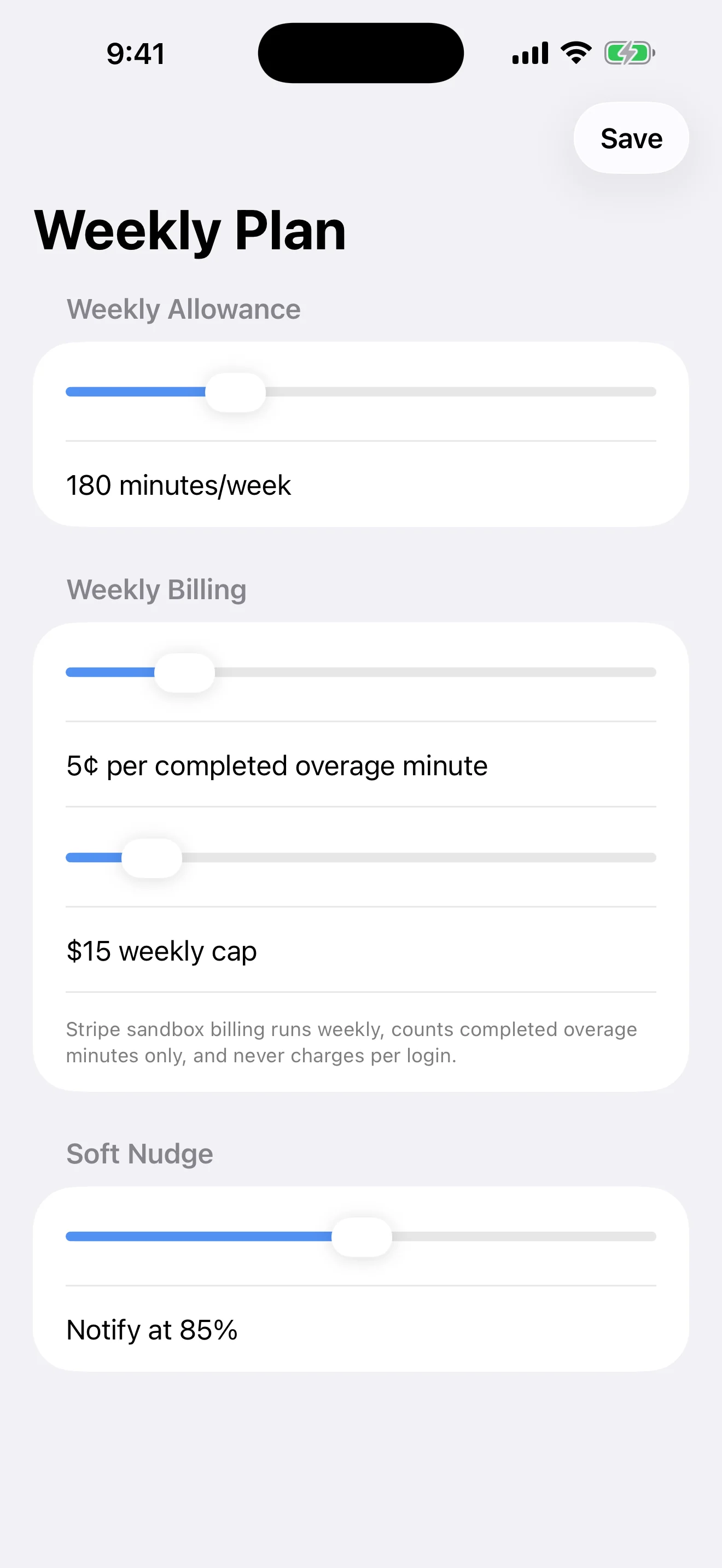
Pick an allowance, an amount per completed overage minute, and a weekly cap.
Pick your charities, split the nonprofit share, and follow the impact week by week.
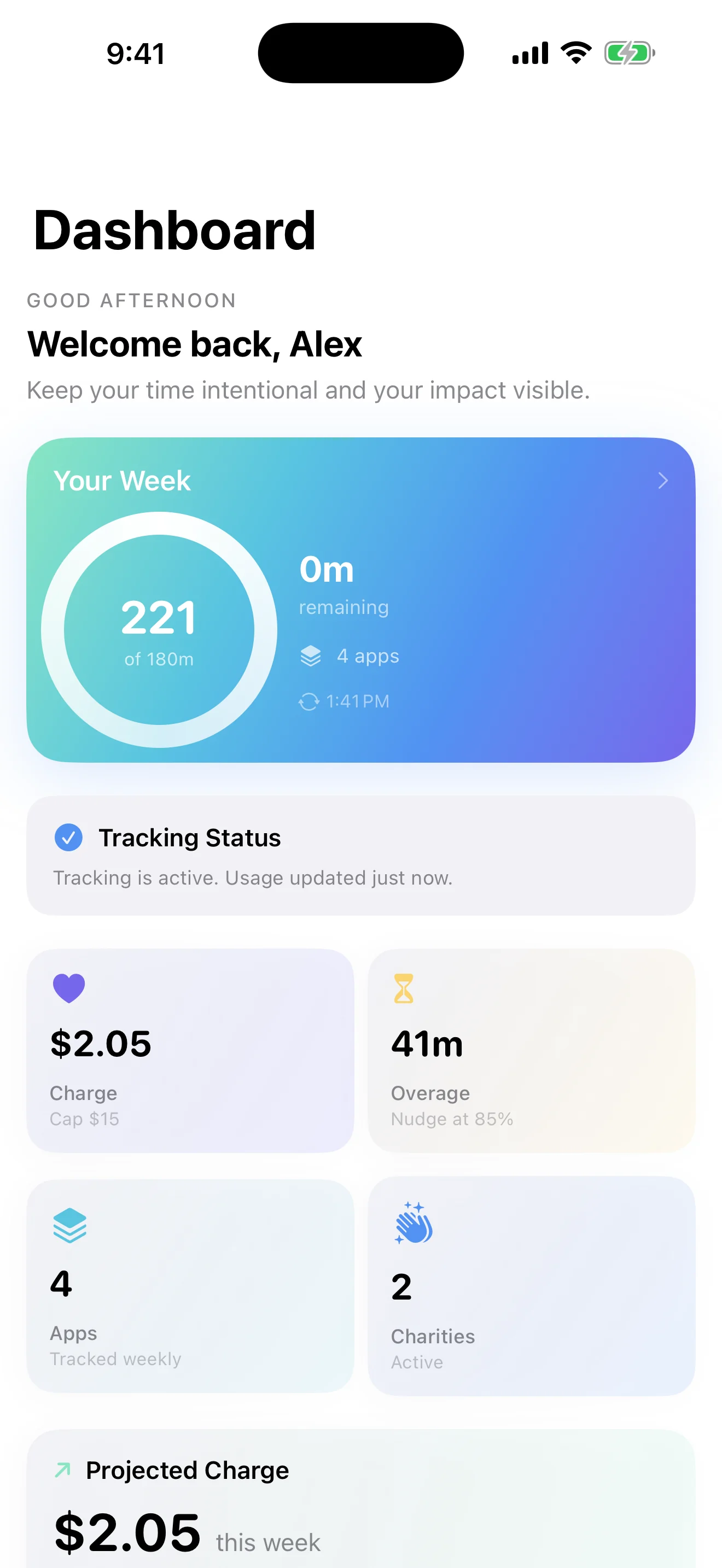
Your dashboard connects weekly time, completed overage, projected donation, and charity allocation—so the tradeoff is visible and the reason to pause stays close.
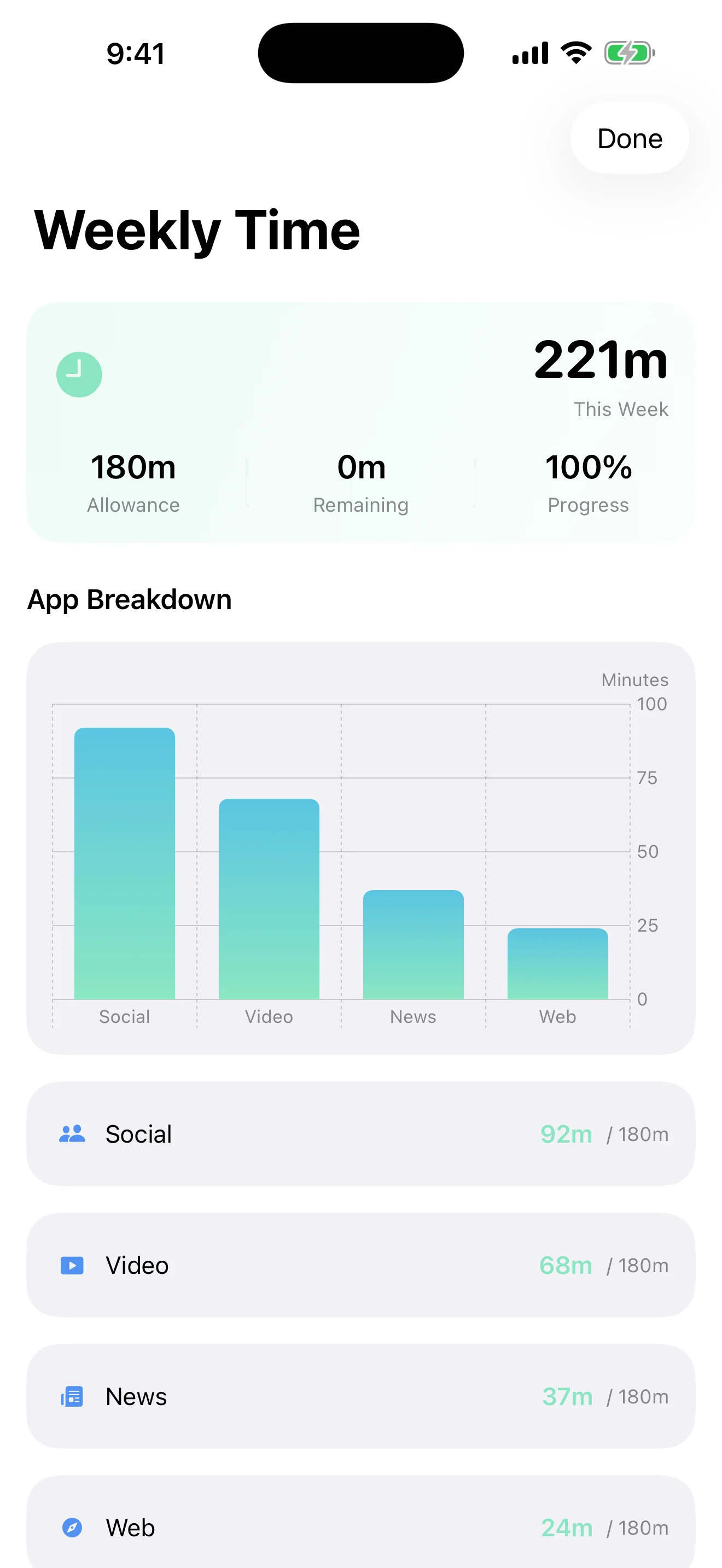
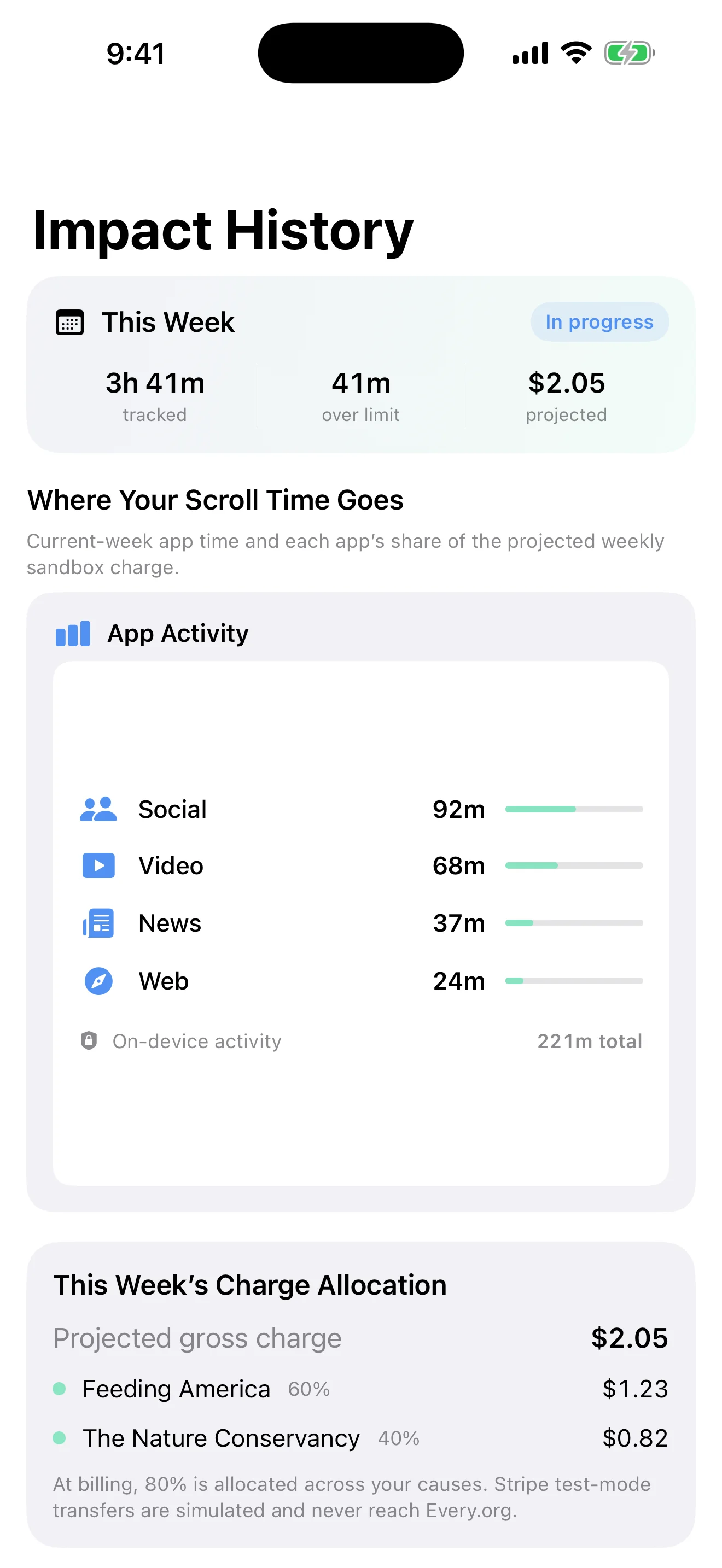
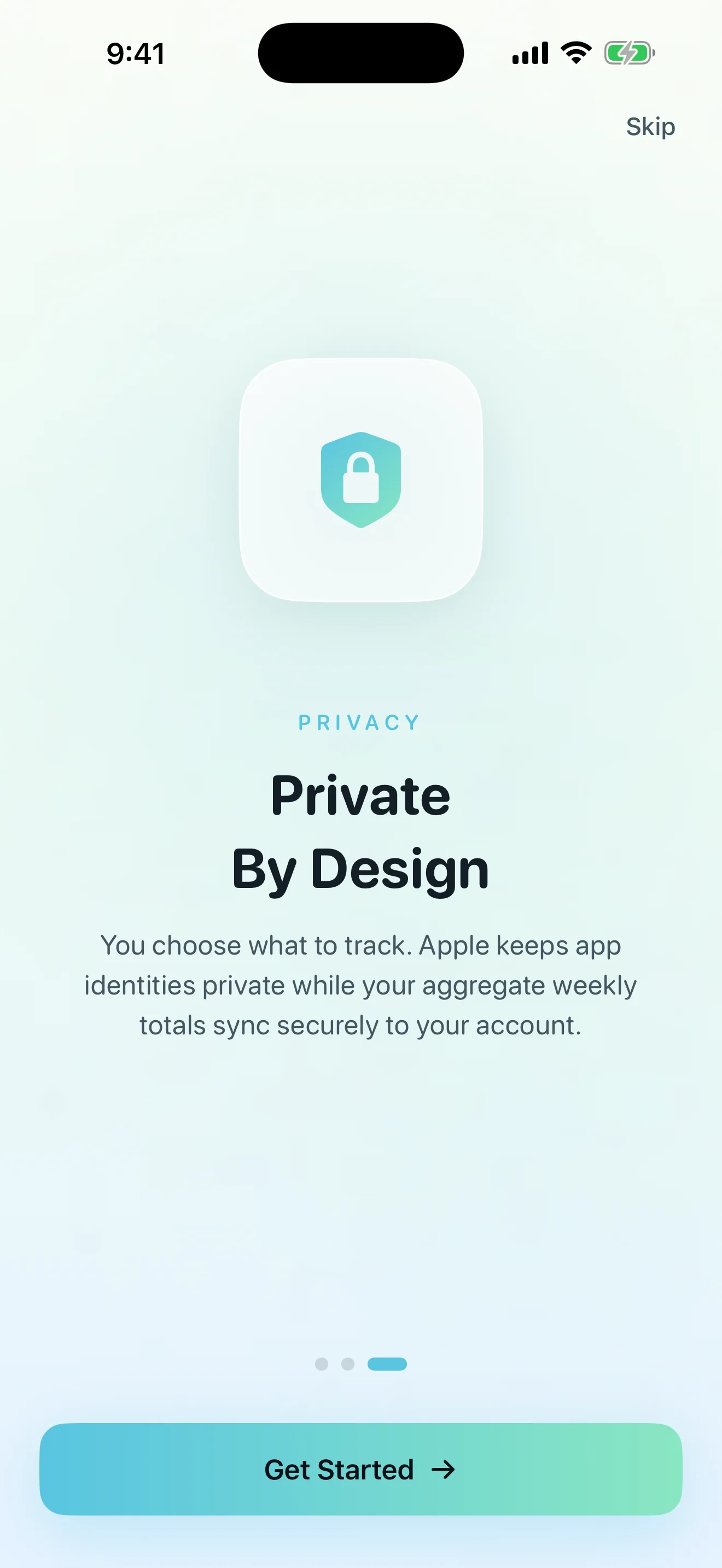
You choose what to track, and Apple’s Screen Time framework protects the details. Pay Attention syncs aggregate weekly totals and a non-reversible selection hash—not your messages, browsing content, passwords, or full card number.
We do not sell personal information or track you across other companies’ apps and websites.
Pause tracking, change selections, export your data, or permanently delete your account.
Choose what you want to track, set a weekly Screen Time allowance, and define a donation rate and weekly cap. Each completed minute over your allowance adds to the weekly amount. The nonprofit share is then divided across the charities using the allocation percentages you set.
Search verified nonprofits across hunger relief, clean water, medical aid, wildlife, education, local community support, and many other causes. Choose one organization or divide the nonprofit share across several.
Yes. You choose your allowance, amount per completed overage minute, and weekly cap. The app shows a projected total before weekly processing, and you can change your plan from Settings.
Your dashboard shows the weekly amount and the allocation across the charities you selected. Transaction and receipt details are available in your history, and you can update your nonprofit choices as your priorities change.
Apple protects selected app identities with privacy-preserving tokens. The server receives aggregate weekly totals and a non-reversible selection hash—not browsing content, messages, passwords, or the identity of each app in your history.
No. Pay Attention focuses on awareness, a donation-backed weekly promise, and optional nudges. You can change your tracked apps or pause activity tracking whenever you want.
Still curious? Visit Support.
Join the list for launch news, product updates, and the first chance to connect your Screen Time to charities you choose.
No spam. Just useful product updates. Leave anytime.